Manufacturing
Run plan per work center
The orders in queue with article and quantity, and what risks running late, for the morning meeting without three screens.
How you work it in Colleag
- 1
Ask: what does the queue look like at the work center?
- 2
The colleague reads the run plan and open manufacturing orders from the business system.
- 3
Review: order, quantities and the risks.
- 4
Show as a dashboard on the workshop screen.
A worked example
“What does the load on surface mounting look like this week?”
The run plan per work center with order number, article and quantity per row, planned times and what risks delay marked. The same picture in chat and on the workshop screen.
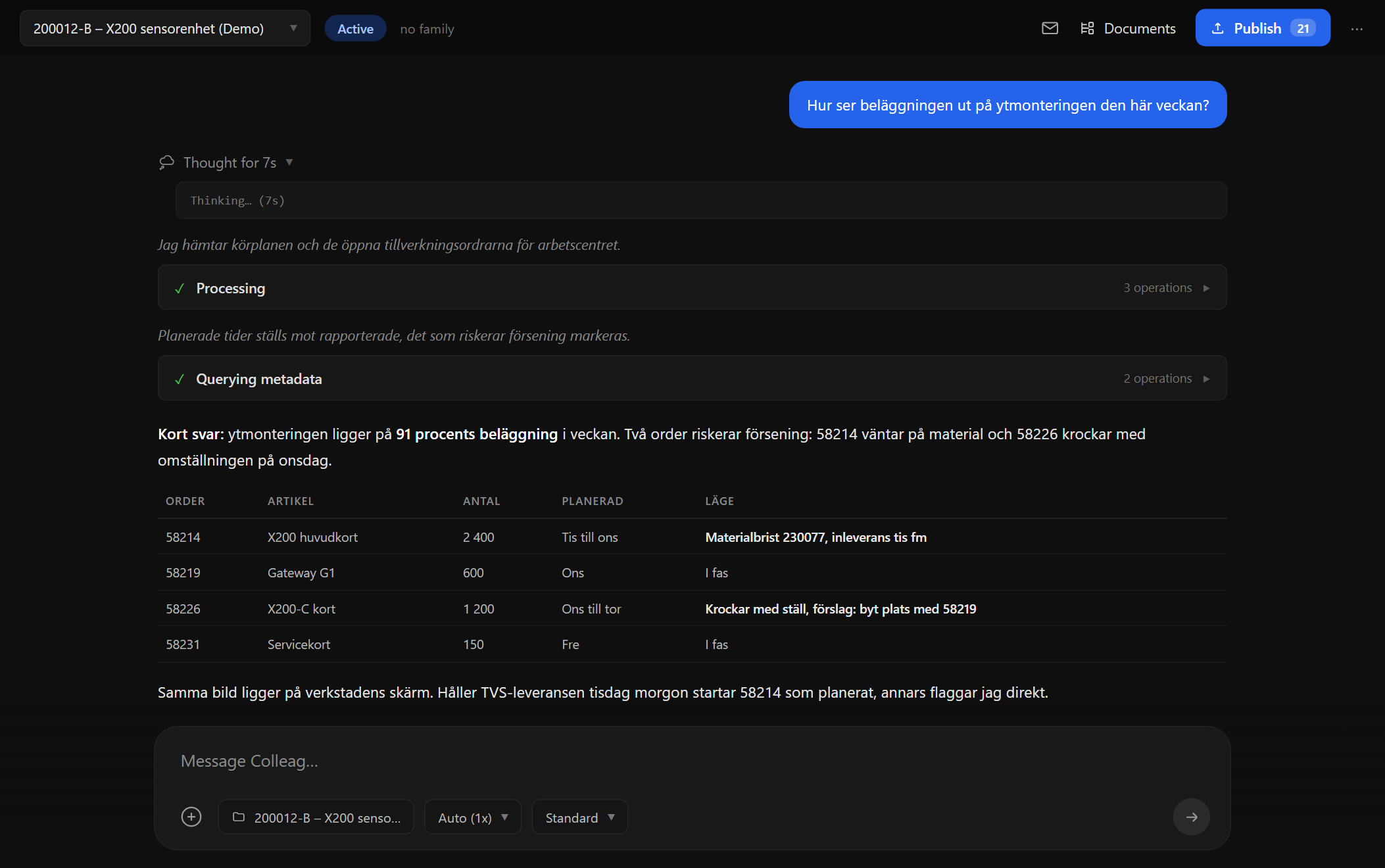
Screenshot from Colleag. The example uses invented figures.
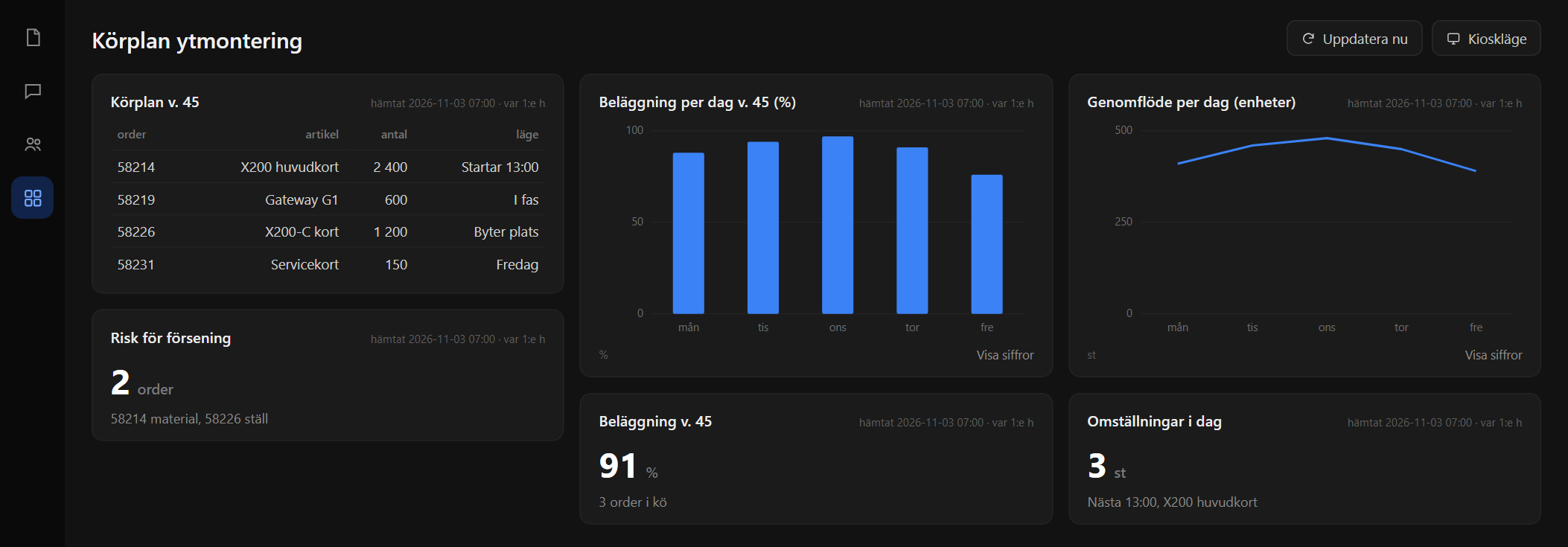
The dashboard from the example, on its own screen or in kiosk mode. Invented figures.
The material
- The run plan from the business system
- Open manufacturing orders
- Planned and reported times
You approve
Everything the colleague produces is a proposal with sources. Nothing is published, sent or saved to the archive without a human approving it, and every figure traces to its material.
Curious what it feels like?
We run pilot programs with a few manufacturing companies at a time. Tell us about your business and we will show what the colleagues can do with your documents and your data.