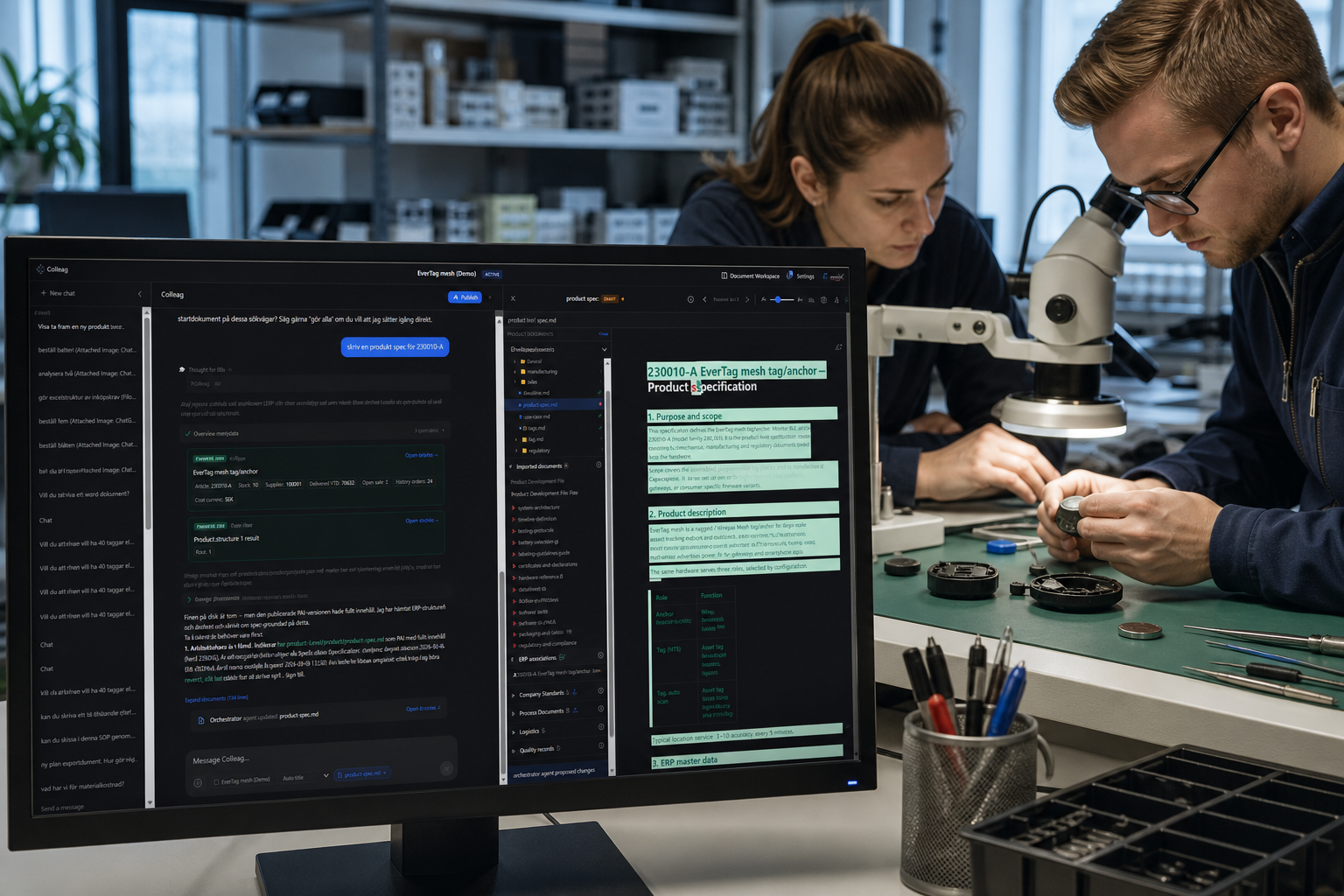
A spec that holds when someone actually builds to it.
You wrote the spec. Then a requirement, an interface or a battery changed. The person soldering to the March printout and the person reading the SharePoint file are not building the same thing. Colleag.ai keeps the specification in the same tree as requirements and test. When something changes, it shows up in the spec, not three weeks later in a “final_final”. Two people should be able to point to the same sentence in the room.
Everyone should design to the same sentence
The change should show up in the spec, not in a new file
The same spec for every discipline
Key benefits
- Automatic update propagation when upstream requirements change
- Full traceability from system requirements to detailed specifications
- Version history with clear change rationale
- Accessible to every discipline, not locked in individual files
- Consistent format and structure across all specifications
Read more
How do you keep specifications current when the BOM changes in Monitor ERP? Colleag.ai pushes the requirement change to the specs that point at it, and a human approves. PLM has the item. LCM has the revision. The project tool has a ticket. None of them rewrite the spec against your procedure.
When the BOM changes in Monitor, several specs still point at the old part. Colleag.ai finds the specs that are hit and proposes the rewrite against your procedure. A human approves. That is not a PLM batch job and not a Jira ticket.
LCM can show the revision is released. It does not rewrite the requirement text. ERP has the new article and no spec. The difference is a sourced answer: which file, which article, which SOP says the change must be approved.
How this differs from ERP, PLM, LCM and project systems
- ERP
- ERP knows the article, not the requirement chain the article must meet.
- PLM
- PLM links a document to an item. It does not propagate prose downstream.
- LCM
- LCM changes status. It does not say which spec sections died.
- Project management systems
- “Update the spec” as a task is coordination. The change in the text is Colleag.ai.
What Colleag.ai does here that those systems do not
- Changes propagate, a human approves
- Traceability from system requirement to detail
- The same current version for every discipline