Requirements
Gaps visible
Requirements without an owner or verification listed, before they become findings in a review.
How you work it in Colleag
- 1
Ask the colleague to hunt gaps in the requirement picture.
- 2
The colleague reads the requirement documents and the traceability.
- 3
Review the list and assign owners.
- 4
Follow up in the same view until the list is empty.
A worked example
“Which X200 requirements lack an owner or verification?”
The gaps sorted: requirements without an owner, without verification, and requirements whose wording cannot be tested, with a source per row. You assign; the colleague keeps the list current.
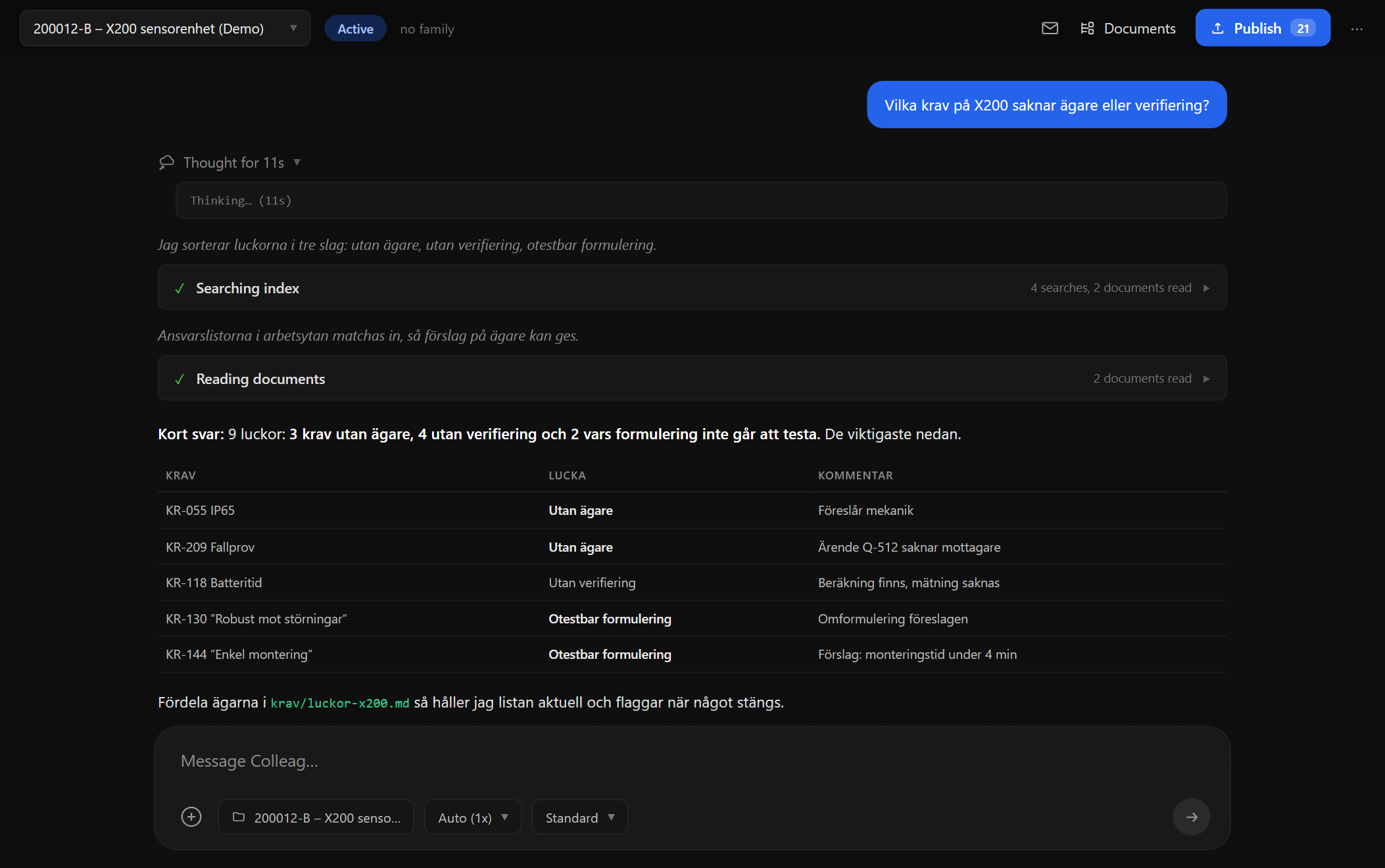
Screenshot from Colleag. The example uses invented figures.
The material
- The requirement documents
- The traceability to test
- Responsibility lists in the workspace
You approve
Everything the colleague produces is a proposal with sources. Nothing is published, sent or saved to the archive without a human approving it, and every figure traces to its material.
More from Requirements
Curious what it feels like?
We run pilot programs with a few manufacturing companies at a time. Tell us about your business and we will show what the colleagues can do with your documents and your data.