Hardware
Design material with sources
Specs and comparisons generated from your own documents, ready for review instead of written from zero.
How you work it in Colleag
- 1
Ask the colleague to draft the material: a spec, a comparison or a decision note.
- 2
The colleague reads your existing documents and builds the draft with a source per section.
- 3
Review and adjust; what lacks underlying data is marked.
- 4
Approve, and the document is versioned in the archive.
A worked example
“Draft a spec for the new charging circuit.”
A spec draft built on your product spec, the requirements and the datasheets, with references per section and markings where data is missing. You edit and approve; nothing publishes itself.
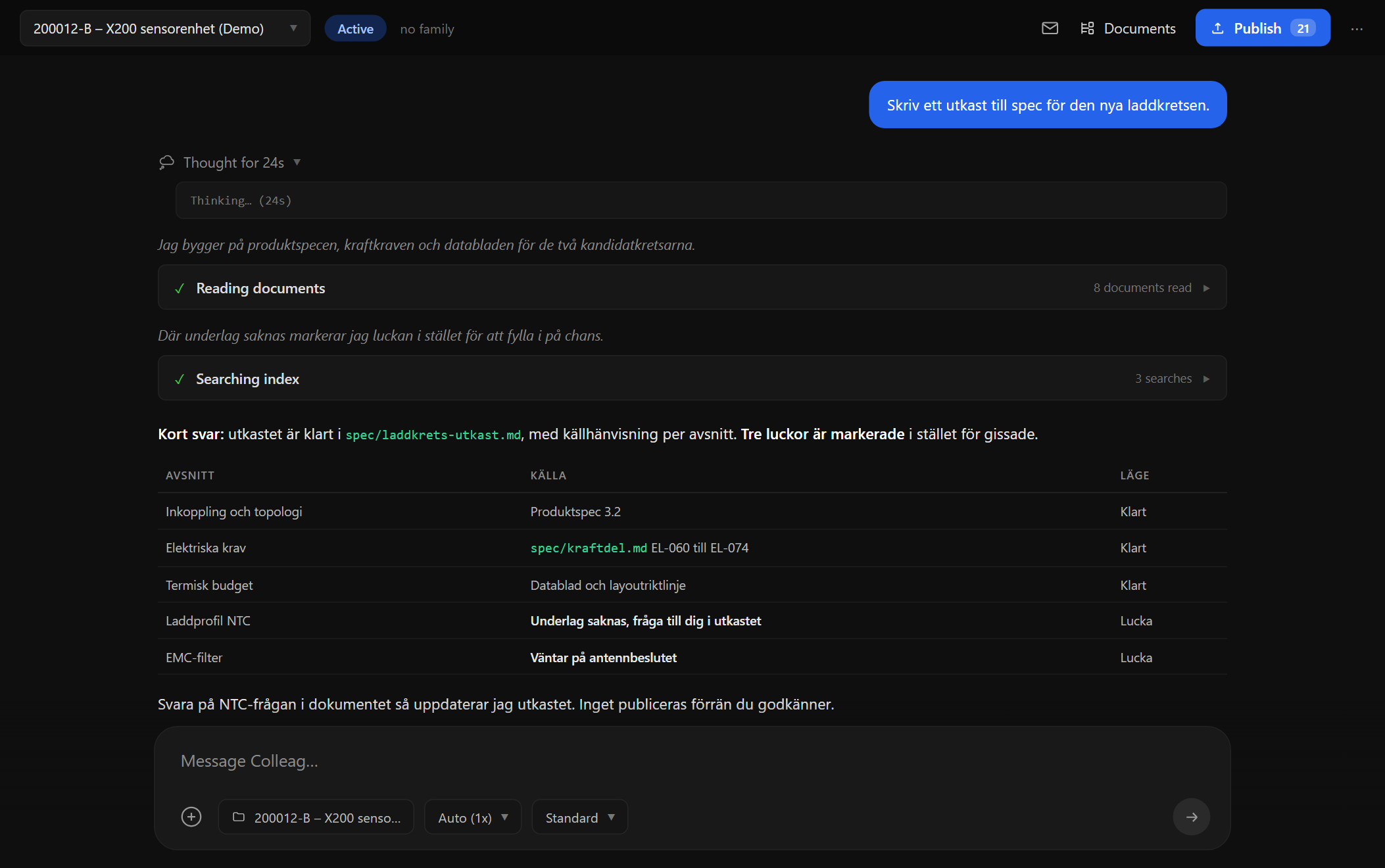
Screenshot from Colleag. The example uses invented figures.
The material
- Your specs and design documents
- Datasheets for included components
- The requirements in the workspace
You approve
Everything the colleague produces is a proposal with sources. Nothing is published, sent or saved to the archive without a human approving it, and every figure traces to its material.
Curious what it feels like?
We run pilot programs with a few manufacturing companies at a time. Tell us about your business and we will show what the colleagues can do with your documents and your data.