Firmware
The full context in your AI IDE
The code assistant is only as good as its context. Via MCP it fetches specs, pin mapping, registers and interfaces straight from the colleague, instead of every developer pasting their own piece.
How you work it in Colleag
- 1
Connect your AI IDE to the colleague via MCP, a one-time setup per developer.
- 2
Ask in the editor as usual: the assistant fetches the right documents itself.
- 3
The colleague answers from approved versions, with source and version in the answer.
- 4
The code is generated against the right basis, without leaving the editor.
A worked example
“Implement the driver for the current measurement on the X200 main board.”
The assistant fetches the register map, the pin mapping and the protocol spec through the colleague and generates the driver against them, citing the document versions it was built on.
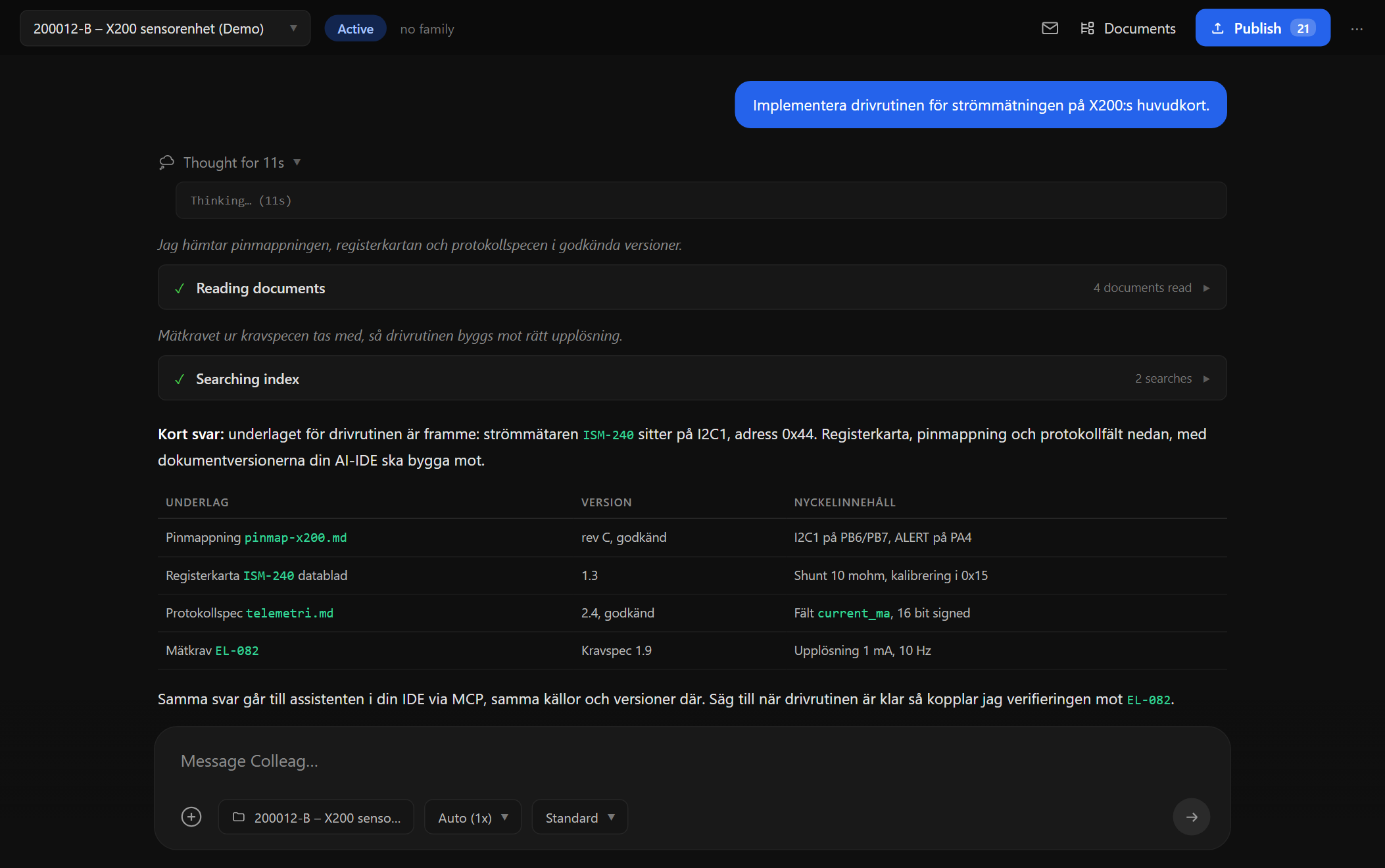
Screenshot from Colleag. The example uses invented figures.
The material
- Pin mapping and schematic in the archive
- Registers from component datasheets
- Protocol and interface specs
You approve
Everything the colleague produces is a proposal with sources. Nothing is published, sent or saved to the archive without a human approving it, and every figure traces to its material.
Curious what it feels like?
We run pilot programs with a few manufacturing companies at a time. Tell us about your business and we will show what the colleagues can do with your documents and your data.